
Smolk, a Russian developer, has a found a workaround for the remote iCloud activation lock function for devices running iOS 7.1, 7.0.6, 7.0.4, 7.0.3 and below.
He lately presented a new program will not only allow enables him around the iCloud activation lock, but also jailbreak iOS 7.1. The process is only for iPhone 4, but certain conditions have to be met.
For example, the phone has to be renamed through iTunes as a 'new device' and the password has to be disabled. Then bypass iOS 7 activation lock process has to be executed before the jailbreak is performed.

Guide to jailbreak iOS 7.1 along with iOS 7 activation lock bypass
Step 1: Make a download from the link for jailbreaking iOS 7.1. The file works with Windows XP as well as Windows 7 and 8.
Step 2: Now connect your iPhone 4 to the computer, launch the program and selected 'tethered jailbreak iOS 7 for iPhone 4'.
Step 3: Now click the button that says '1) Run SSH_RD Tool'.
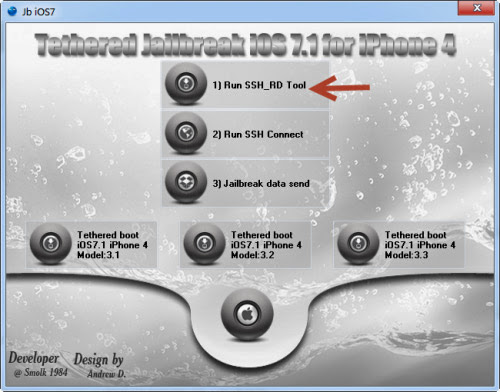
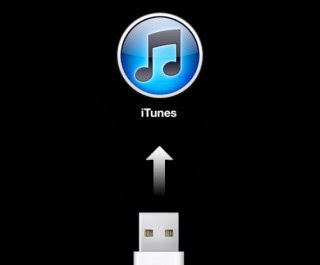
Step 4: Now wait for the window RD_tool to launch, and then switch your device into DFU-mode.
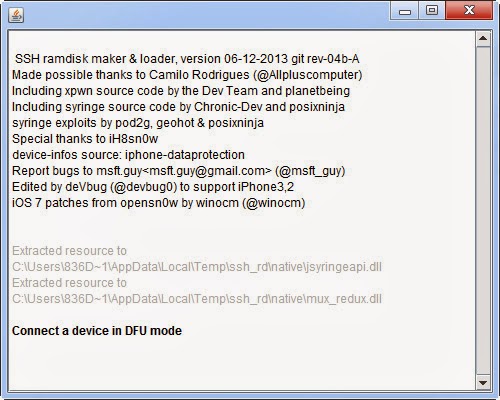
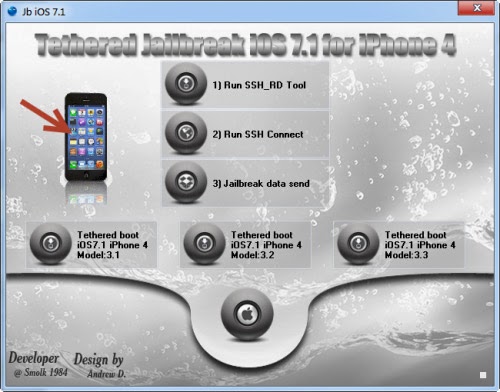
Step 5: After the process has finished, now press '2) Run SSH Connect'. At this point, you also need to make sure that the disc is mounted. See the following:
- Mounting/ dev/disk0s1s1 on /mnt1 ..
- Mounting / dev/disk0s1s2 on /mnt2 ..
Otherwise, you can select '2) Run SSH Connect'
Step 6: Now select 'jailbreak data send', and wait for the popup that says 'Continue connecting and add host key to the cache?'. Select Yes 'Y'. The phone will now reboot in recovery mode.
Step 7: Now press 'tethered boot iOS 7.1 iPhone 4 Model: 3.1 or 3.2 or 3.3' to boot the phone depending on your model; find the iPhone model with the image number in the window.
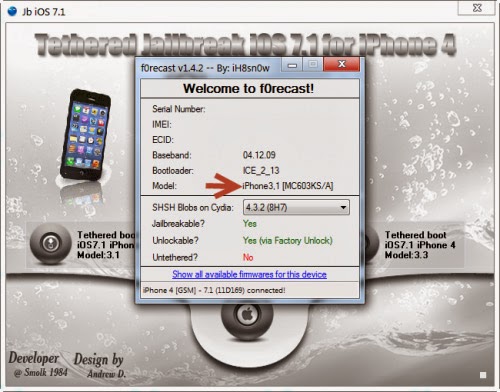
Step 8: After downloading, do not do anything before the device automatically reboots. Cydia will be installed.
Step 9: After that, you need to wait for respring. This is when mobilesubstrate will be added.
Step 10: Now feel free to open Cydia and install any updates.
Now upon every reboot, you need to connect iPhone to the computer and select 'tethered boot iOS 7.1', as it is not an untethered jailbreak'.
Bypass activation works on iOS 7.1 and iOS 7, but if your phone is reported as stolen you won't be able to make calls. Did you managed to bypass iOS 7.1 Activation Lock? Tell us in the comments below.
Comments
Post a Comment